
Profile risk analysis
DeepSeek-powered risk summaries score borrowers 0–100 with grade (A–D), risk level, factor breakdown, and actionable recommendations cached for 24 hours.
AI risk summaries, Copilot with eight database tools, email and document extraction, inbound lead review, and prompt governance for staff.
The AI Review Layer sits inside the Management Portal and augments staff workflows with structured summaries, document extraction, and a conversational Copilot that can query the database on demand. It is designed to accelerate review work — not replace lender decisions. Every AI output is tied to real borrower records, and prompt behavior can be aligned with your internal credit practice.
On each profile, AI Risk Analysis generates a scored summary with grade, risk factors, and recommendations. In the assistant, staff ask natural-language questions and the model invokes tools to look up borrowers, rank risk, list overdue notices, and — for admins — propose and apply governed edits with a two-step confirmation flow.
DeepSeek-powered risk summaries score borrowers 0–100 with grade (A–D), risk level, factor breakdown, and actionable recommendations cached for 24 hours.
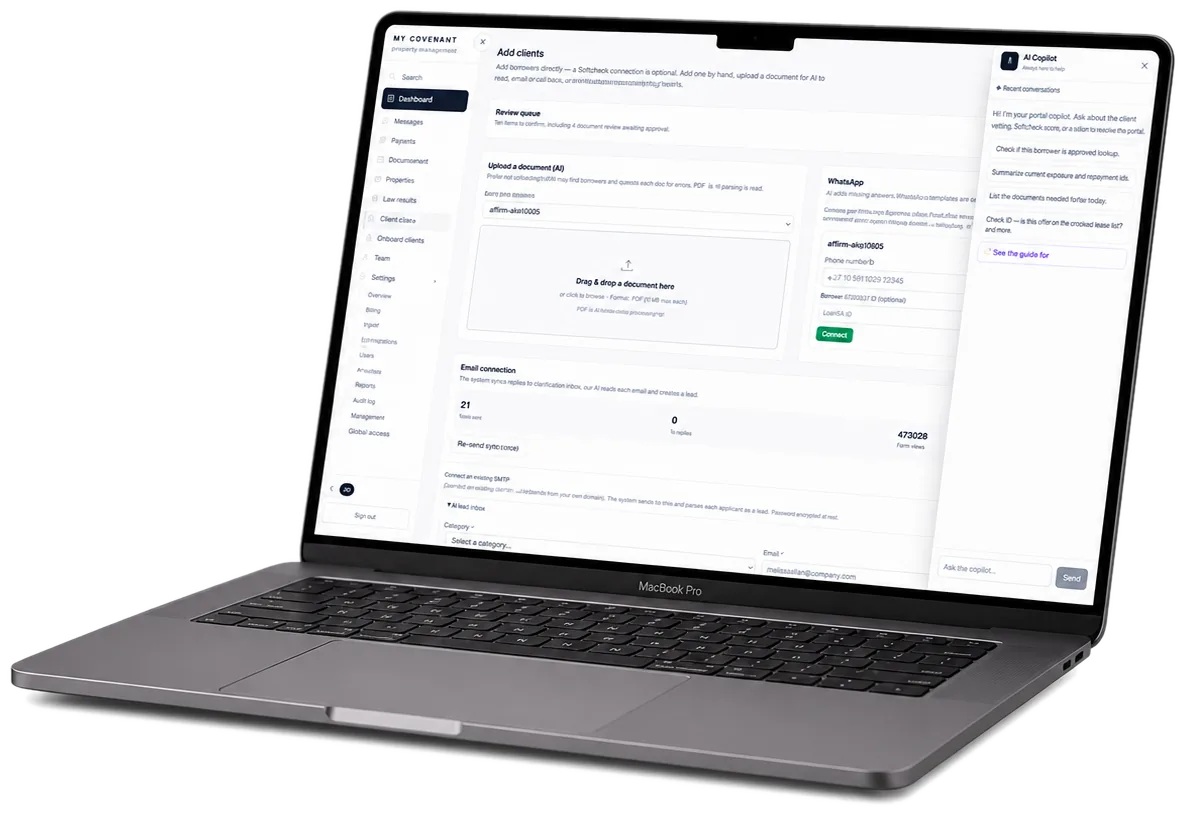
Inbound emails and attachments are parsed into structured lead records. Low-confidence extractions route to a pending-review queue for staff correction before approval.
Admin prompt configuration aligns summary format and emphasis. Copilot edits require explicit user confirmation and are audit-logged with before/after previews.
Summaries, extraction, and conversational access — all scoped to the borrower's real record and your team's permissions.
On-demand risk analysis on any borrower profile. Score breakdown chart, listed risk factors and strengths, with the rules-based score, risk band, and recommendation kept separate from AI narrative support.
Standalone chat at /assistant with eight function-calling tools. Staff ask questions in plain language; the model looks up borrowers, aggregates stats, and lists overdue notices dynamically.
HKID, application number, loan number, mobile, and name patterns in chat messages auto-load borrower context — so common queries answer in one round-trip without manual lookup.
IMAP-connected accounts fetch unread messages, parse body and attachments via AI, deduplicate by message ID, and insert structured InboundLead records with confidence scoring.
Low-confidence parses land in pending_review status with admin alerts. Staff correct fields, approve into live records, or reject with audit context preserved.
Admin prompt controls at /admin/prompts align summary format, risk emphasis, and extraction rules. Research cache and TE inquiry history available for cost and quality monitoring.
Credit teams use AI summaries as a starting point — not a final verdict.
Operations teams triage AI-parsed leads before they become live borrower records.
The AI Review Layer exposes read tools to all authenticated staff (scoped by company) and write tools to admins only. Every chat query and applied edit is logged.
Credit reviewers, managers, intake admins, and operations users who need database-backed summaries, rankings, extraction, or case answers.
Profile risk analysis, Copilot tools, borrower lookup, portfolio aggregation, overdue notice answers, email/document extraction, prompts, and research cache.
Scoped read tools, admin-only write tools, propose/apply confirmation, forbidden Softmedia-managed fields, prompt administration, and audit logs.
AI does not approve or reject loans, set terms, bypass staff authority, or replace review of raw application, DSR, credit, and repayment modules.