
Softmedia sync
Scheduled and manual sync pulls borrower, loan, overdue, and upcoming notice context from connected Softmedia instances into lender-owned portal records.
Covenant Desk can pull from existing source systems, accept structured imports, parse inbound communication, and expose borrower and staff workflows through web and mobile surfaces.
The distinction matters more than it sounds. Covenant Desk Lending holds its own database. When it connects to Softmedia, to TE Credit, to a spreadsheet or to a mailbox, it is bringing those records into a store you own — not borrowing them at read time from a system that has to stay running. If you switch a source system off a year from now, your borrower records are still yours and still there.
That is why every connection begins with a source mapping rather than a credential. Before anything moves, the mapping records which system holds which field, which fields are authoritative, how borrowers are identified across companies, and what happens when two sources disagree. It is written down and agreed. Once live, each connection reports its own run history, so a sync that stopped three days ago is visible rather than silent.
Scheduled and manual sync pulls borrower, loan, overdue, and upcoming notice context from connected Softmedia instances into lender-owned portal records.
Spreadsheet import supports migration, one-off loading, and controlled intake where legacy workflows still depend on files.
IMAP-connected inboxes can feed unread messages and attachments into AI extraction, confidence scoring, and staff review queues.
WhatsApp screening captures borrower inquiries into structured lead records while preserving source channel metadata.
Borrowers receive lender-specific FPS QR and reference details. Funds move through the lender's own account; Covenant Desk tracks intent and reconciliation context.
Borrower and staff API surfaces expose loan detail, search, notices, messages, repayment, and profile context for web and native apps.
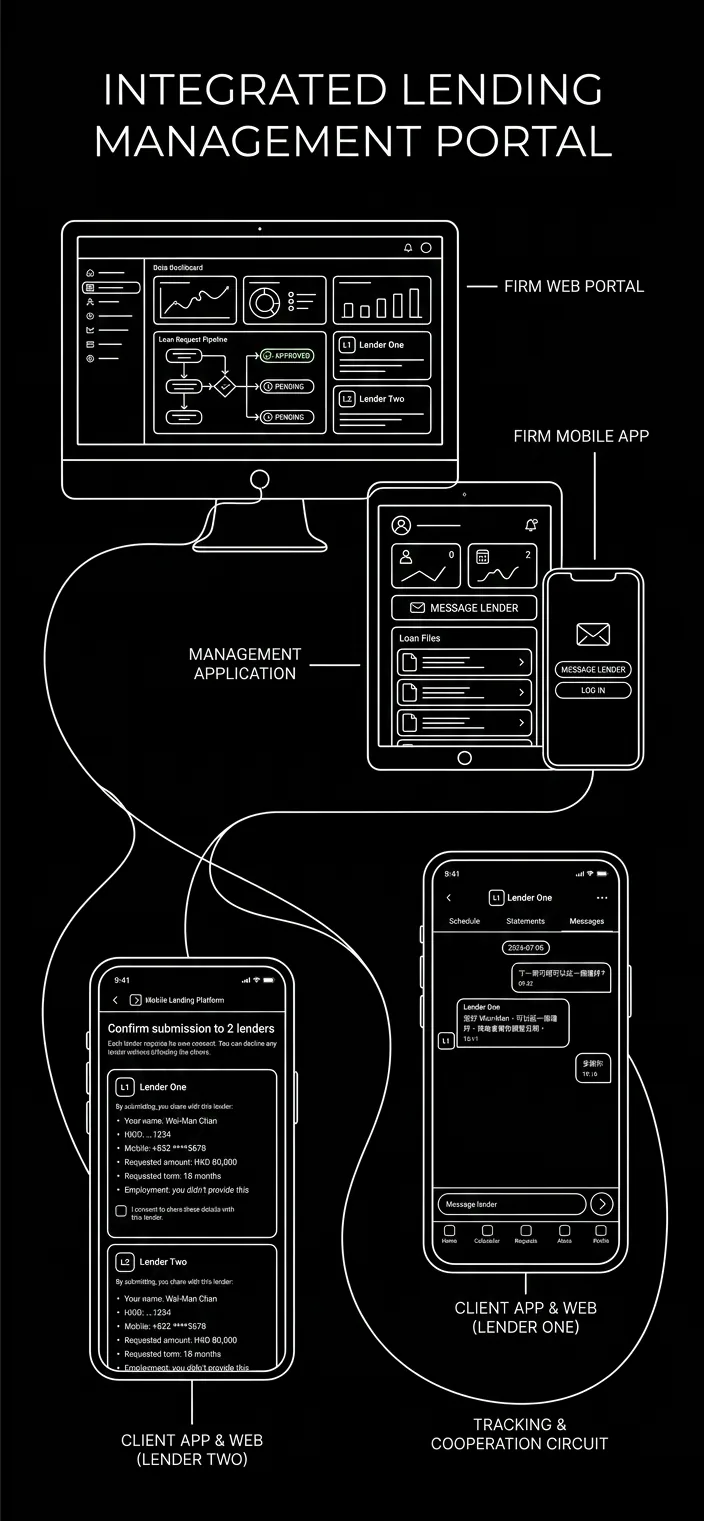
The implementation demo should confirm company entities, Softmedia instances, source fields, import files, receiving FPS IDs, staff roles, borrower login method, and which intake channels are active first.
Bring the systems you actually run and we will map them on the call, rather than guessing at them afterwards.
Book a demoNo. Records sync into the Covenant Desk database, which is your own. Keeping a source system connected during rollout is a convenience while you move across, not a requirement of the product. Covenant Desk is not affiliated with Softmedia or TE Credit, and nothing in the platform depends on either of them being available.
The mapping decides, and you write the mapping. Each field is assigned an authoritative source during discovery, and fields managed by a connected system are marked so staff do not overwrite them by accident. Where a conflict cannot be resolved automatically it surfaces for a named person rather than being silently resolved one way.
No. Borrowers receive a QR code and reference carrying your own FPS details, and funds move through your own bank account. The platform records the repayment intent and reconciles the credit against the right loan. It never holds, moves or takes custody of funds, and no software vendor can be an FPS participant — participation is limited to licensed banks and licensed stored value facility operators.
Extraction is scored, not assumed. High-confidence parses can route straight into the queue; low-confidence ones wait for a staff member to correct the fields before they become a borrower record. Duplicates are skipped by message ID, and every sync run reports how many items it processed, saved and failed on.
Borrower and staff API surfaces expose loan detail, search, notices, messages, repayment and profile context, and the same endpoints serve native iOS and Android clients. What a given integration can pull depends on the role it authenticates as, so company scope and permissions apply to an API caller exactly as they do to a person.
Each connection keeps a run history visible to administrators, and dashboard status reflects the freshness of the data behind it. A stale feed shows as stale rather than quietly serving old numbers, which matters when the queue you are working from is meant to tell you what to chase today.