
FPS pay-now and autopay readiness
Borrowers repay instalments by scanning an FPS QR or opening their bank app. Autopay setup explains the future bank-app authorization model without collecting or storing bank account numbers.
Borrower dashboards, loan detail, FPS repay-now, autopay readiness, alerts, request tracking, statements, account controls, and messages — web and mobile.
The Client Repayment App gives borrowers a clear, self-service view of their loans, repayment schedules, and selected-lender requests. Instead of relying on phone calls and manual messages for every instalment update, borrowers sign in to see what they owe, pay via FPS, review bank-app autopay readiness, and track the status of loan applications they submitted through the marketplace.
Covenant Desk is instruct-only for payments: the platform generates FPS QR codes and reference codes, reconciles incoming bank credits, and surfaces truthful payment status — but never holds or moves funds. Staff receive worklist entries to post confirmed receipts into the source loan system. The same client experience is available on web (/client) and through the mobile API seam.
Borrowers repay instalments by scanning an FPS QR or opening their bank app. Autopay setup explains the future bank-app authorization model without collecting or storing bank account numbers.
Selected-lender loan requests, approval status, and per-loan repayment breakdowns — repayment amount, overdue interest, penalty, and total — in one client-facing view.
Borrower messages and statement context stay linked to lender operations in the Management Portal. Staff responses appear in the client app.
Repayment, request tracking, marketplace tools, and lender communication — connected back to staff operations.
Sign in with reference number and access code. Dashboard shows outstanding instalments across all active loans, sourced from synced repayment notices and loan records.
Per-loan view with instalment breakdown, repayment amount, overdue interest, penalty, and total due. Status chips show awaiting, received, and confirmed payment states.
Dynamic FPS QR encoding the lender's proxy, amount, and reference code. Bank-app deep link and copyable manual details as fallbacks. Irrevocable — no chargeback.
Bank-app authorization guidance for future recurring debit. Covenant Desk does not see or store the borrower's bank account number; fallback remains FPS pay-now.
Browse the lender directory, compare options, and use the loan calculator before submitting a multi-lender request with explicit per-lender consent.
Track selected-lender loan request status, receive lender messages, and view statements — all connected to the same records staff see in the Management Portal.
The primary client-pay path uses FPS-push — no bank details collected from the borrower.
Borrowers follow their application without calling the branch for every update.
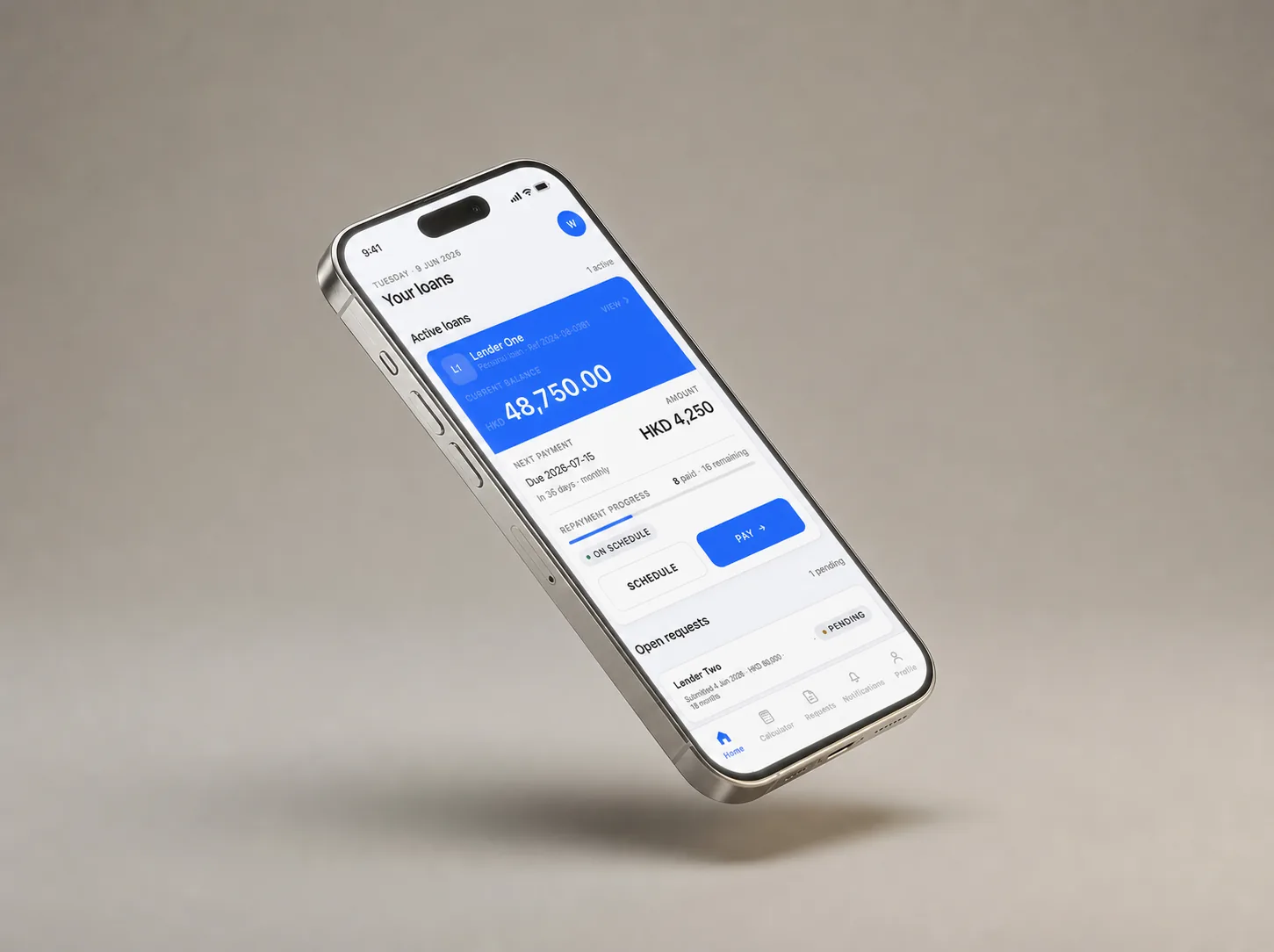
The Client Repayment App spans the borrower login, dashboard, repayment flows, and marketplace entry points. These are the primary routes and data objects involved.
Borrowers, customer service staff, operations teams, and managers rolling out repayment, messaging, statement, and request tracking journeys.
Borrower dashboard, loan detail, repayment schedules, FPS QR, repayment intent, autopay readiness, messages, request tracking, statements, and account controls.
Borrower reference/access code login, lender branding, entitlements, data export, account preferences, no bank account storage for FPS pay-now, and staff reconciliation path.
The app does not issue lending offers, guarantee approval, or move funds through Covenant Desk. Funds go to the lender's configured account.